Study strategy · Digital learning · 2027 guide
How Students Can Use PDFs, E-Books, and Digital Textbooks Effectively
A practical 2027 study guide for Indian students: discover official digital textbooks, learn to read and annotate PDFs, turn e-books into useful revision notes and remember more through self-testing—not endless scrolling.

Use digital textbooks to build understanding, practise recall and revise with purpose.
How can students study effectively using PDFs and digital textbooks?
Quick answer: Start with the right textbook edition, divide the PDF or e-book into manageable topics, search and annotate sparingly, then close the document and test what you remember. Keep short revision notes and revisit difficult ideas over several days.
The best way to use a digital textbook is not simply to read more pages on a screen. It is to make reading, note-making, recall and practice work together. Students preparing for Class 10 or 12 boards, CUET, NEET, JEE or school assessments can apply the same study workflow while using exam-appropriate textbooks.
| The question | Practical answer |
|---|---|
| Where should I download textbooks? | Use official NCERT, ePathshala, DIKSHA or your board/publisher rather than unknown file-sharing sites. |
| How should I read PDFs? | Set a question or goal, read one short section, summarise it, then test recall. |
| Should I highlight everything? | No. Highlight only high-value terms and add short notes explaining why they matter. |
| How can I prepare for the 2027 exams? | Use the latest official material applicable to your 2026–27 academic session, where confirmed; verify any newly announced changes before an exam. |
2027 preparation note: This guide is written for students preparing for 2027 using resources verified as of 8 October 2026. Availability of official e-textbooks is confirmed; future 2027 syllabus, board-specific revisions and app features should be checked when released rather than assumed.
What makes digital textbooks useful for students?
PDFs and e-books make study material portable, searchable and easier to organise; their actual learning value depends on what you do with the material.
Digital books are particularly useful for finding information quickly. They do not automatically improve marks or remove the need for handwritten problem solving, mock tests or discussion with a teacher.
Where can Indian students get reliable digital textbooks for 2027?
For Indian school subjects, official NCERT textbooks, ePathshala and DIKSHA are appropriate starting points. Always match the book to your class, board, medium, subject and current syllabus.
| Official resource | What students can find | How to use it |
|---|---|---|
| NCERT online textbooks | Official downloadable NCERT school textbooks, including Classes XI and XII. Open NCERT online textbooks | Choose the applicable class, subject and textbook; check the edition and chapter list. |
| ePathshala | NCERT digital textbooks and linked audio, video and reading materials. Open ePathshala | Use e-books, bookmarks, zoom and linked QR-code resources as supported. |
| DIKSHA | Curriculum-linked textbooks, learning content, quizzes and videos from boards and institutions. Explore DIKSHA | Filter by board, grade and content type; use the corresponding textbook QR codes. |
| Your school board / publisher | The approved school-specific book or companion material | Check the board website or school instructions before relying on a file labelled “2027”. |
NCERT permits downloading its books for reference and textbook use, subject to copyright terms. Downloading is not permission to republish or redistribute the textbook as your own PDF collection.
The academic session 2026–27 is relevant for many students appearing in 2027, but the exact prescribed books and assessment pattern differ by board and school. Use current official notifications, not an unverified “latest 2027 PDF” label.
PDF vs e-book vs digital textbook: what is the difference?
A PDF keeps a page-based layout; an EPUB e-book can often adjust its text to the screen; “digital textbook” is a broader term that may include PDFs, EPUBs and interactive online material.
| Format | Best strength | Important limitation |
|---|---|---|
| Preserves page numbers, printed layout, tables and diagrams | Small text may be harder on a phone; scanned PDFs may not support text search | |
| EPUB / reflowable e-book | Adjustable font size and comfortable continuous reading | Page numbers and complex scientific layouts may differ from print |
| Interactive textbook / lesson | Can combine text, video, quizzes and media | Usually requires a compatible platform; some features need an internet connection |
| Scanned PDF | Useful as a digital copy of an authorised printed resource | Search and accessible text may require OCR; OCR can make errors in formulas |
Choose the format by task: use a page-accurate PDF for labelled Biology diagrams and mathematics worksheets; use a reflowable e-book for long reading where available; use interactive lessons for targeted explanations, not as a replacement for questions.
What is the best way to read a PDF without getting distracted?
Read with a specific learning question, not an open-ended target such as “finish the whole PDF”.
- 1Choose one outcome
Example: “Explain how the kidney filters blood” or “Solve two problems using this formula.”
- 2Open the relevant pages
Use the chapter outline or search to locate the topic; remove unrelated tabs and notifications.
- 3Read in small units
Work through one idea, figure or worked example before scrolling on.
- 4Pause and say what you learned
Close or minimise the file and state the central idea in your own words.
- 5Answer a practice question
Try a textbook exercise or self-made question. Reopen the PDF to correct the specific gap.
One 30-minute focused session with self-testing can be more useful than scrolling through several chapters without checking comprehension. Your ideal session length depends on the topic and your attention.
How should students highlight and annotate digital textbooks?
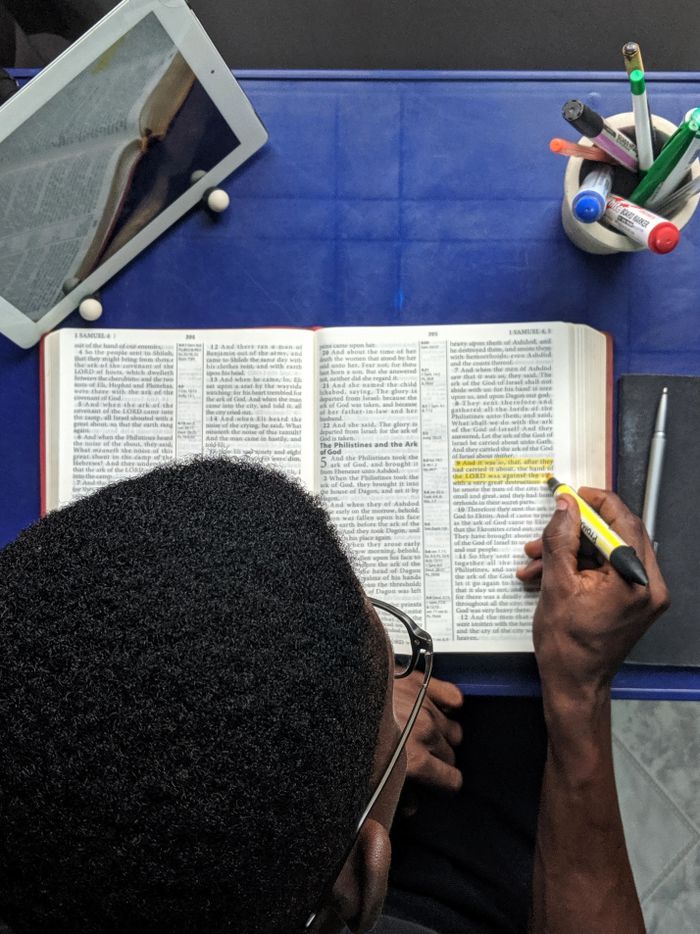
Effective digital annotation singles out essential information, asks questions and leaves a clear trail for the next revision.
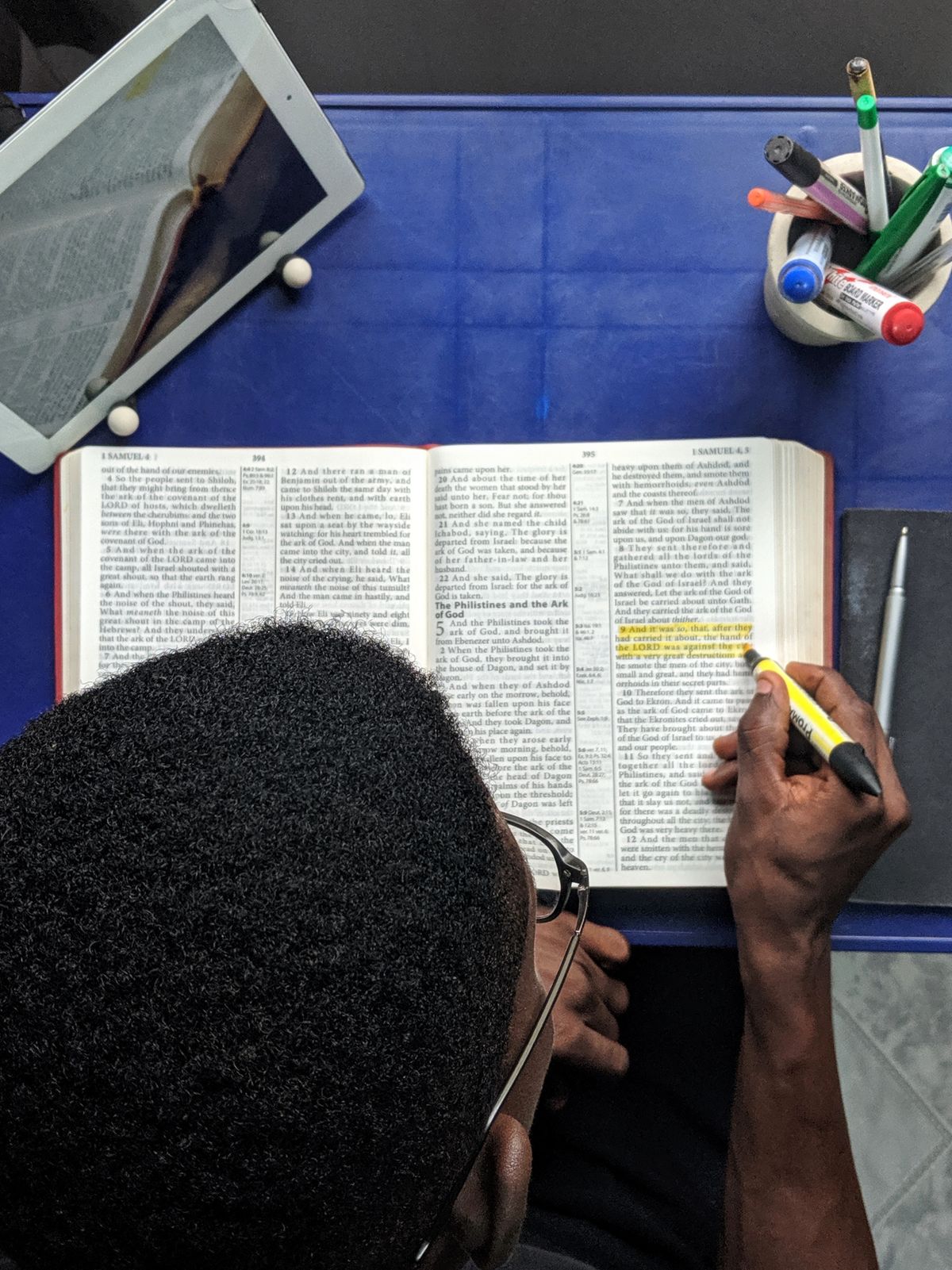
| Marking | Suggested use | Example in a Class 12 chapter |
|---|---|---|
| Yellow highlight | Core definition or rule | Highlight the formal definition of a physical quantity |
| Blue note | Example or application | Write a worked example that uses the formula |
| Green note | Formula, link or key relationship | Record a symbol, unit or derived connection |
| Question mark / comment | Doubt or item to revisit | “Why does this result change when temperature rises?” |
| Star or bookmark | High-priority revision page | Mark a difficult diagram or frequent error |
The colours are only an organisational convention; there is no universal evidence that a particular colour itself creates stronger memory. Students using monochrome displays can use labels or symbols instead.
Five-minute annotation rule: At the end of the section, check whether each highlight helps you answer a question. If you cannot explain why a line is highlighted, it may not need highlighting.
How can search and bookmarks make PDF revision faster?
Use search to locate known terms and bookmarks to return to complete explanations, examples and diagrams.
Search limitation: A photo-only or scanned PDF may not contain selectable text. Some PDF readers support optical character recognition (OCR), but OCR can misread subscripts, mathematical signs, diagrams and regional-language characters. Check technical text against the original page.
Adobe provides an official guide to searching PDFs in Acrobat for learners using that reader.
How can students read PDFs on a phone without excessive eye strain?
Keep the display readable, adjust contrast and lighting, avoid holding the screen too close and schedule breaks from sustained close-up viewing.
The American Optometric Association recommends looking at something around 20 feet away for 20 seconds after 20 minutes of screen viewing as a practical way to interrupt sustained near focus. Persistent symptoms deserve assessment by an eye-care professional.
Reference: American Optometric Association: digital eye strain and screen habits. Night mode may feel comfortable, but it is not a substitute for breaks, clear text and sensible lighting.
How should students organise a digital study library?
Use a small folder structure that separates official textbooks, revision notes, sample papers and practice solutions by class and subject.

| Folder | Suggested example file |
|---|---|
| 01_Textbooks | Class12_Physics_NCERT_Official.pdf |
| 02_Chapter_Notes | Physics_Chapter03_KeyIdeas.md |
| 03_Question_Papers | Board_Physics_SamplePaper_Official.pdf |
| 04_Mistake_Log | Physics_Mistakes_August2026.docx |
| 05_Revision | Physics_Formulas_Review.pdf |
Helpful naming convention: class_subject_chapter_document-type_source. Keep the source website or title in your notes and avoid saving many indistinguishable files named “new.pdf”, “final2.pdf” and “latest-book.pdf”.
How do you turn digital chapters into useful exam notes?
A revision note should be shorter than the source and organised around ideas you can explain or apply in an exam.
- 1Write the chapter question
For example: “How does electromagnetic induction work?”
- 2Record the central answer
Use two to four accurate sentences in your own words.
- 3Add essential evidence
Include formulas, units, diagrams, examples or conditions only when needed.
- 4List likely errors
Write the mistake you made or the concept you often confuse.
- 5Add a practice question
Include a question that checks whether you can use the information.
Do not paste whole pages into your notes. Copy a short quote only when needed and permitted, reference the original page, and explain the concept independently. For Chemistry, Physics and Mathematics, copy symbols and equations carefully: a missing sign or subscript changes meaning.
How does active recall work with an e-book or PDF?
Active recall means trying to retrieve information without looking at the text. A PDF becomes a useful study tool when you repeatedly practise that retrieval.
- 1Read one topic
Read a short section about a process, formula or historical event.
- 2Hide the material
Close the file or switch away from the chapter.
- 3Retrieve from memory
Write the definition, redraw the diagram or explain the process aloud.
- 4Check the source
Compare with the original and mark what you missed.
- 5Correct and retry
Solve another question or attempt the same explanation later.
Research on learning identifies retrieval practice and spaced practice as useful approaches across many educational settings. The PDF is the reference; recalling and applying its contents is the learning activity.
For practice, turn a Biology heading such as “double circulation” into “Why do mammals have two circulatory circuits?” and answer without consulting the PDF.
How often should students revisit saved digital notes?
Revisit information over several sessions rather than relying only on one long reading session before an exam. Use the results of self-testing to choose what needs attention sooner.
| Suggested stage | Task in your PDF/e-book workflow | Duration guide |
|---|---|---|
| Learning day | Read actively and write three self-test questions | Your normal focused chapter block |
| Next day | Answer questions from memory, then check the file | 5–15 minutes |
| Three or four days later | Solve a new application question or redraw the diagram | 10–20 minutes |
| About one week later | Revisit errors and complete another short quiz | 10–20 minutes |
| Before the exam | Review unresolved gaps and official practice questions | As needed |
The intervals are illustrative, not a scientifically fixed timetable. Harder material and upcoming assessments may require earlier review; well-known material may need less repetition.
What is the best way to study digital diagrams, graphs and tables?
Zoom the diagram, identify the meaning of each part, and then reproduce or interpret the figure without looking at the original.
- 1Inspect the complete visual
Read the title, axes, legend, units and all labelled parts.
- 2Explain the relationship
Say what the arrows, slopes, branches or stages show.
- 3Sketch or reconstruct
Redraw a simple version from memory or complete a blank label exercise.
- 4Check detail and accuracy
Reopen the original image to verify names, direction and scale.
For a Physics graph, describe both axes and their units before interpreting the slope. For Biology, practise drawing and labelling the required structures in a school-approved format. Screenshots and personal copies must respect content licences and sharing rules.
How do digital books help students understand difficult chapters?
Use a layered approach: read the basic explanation, find a worked example, examine its diagram and explain the idea in everyday language before attempting a question.
For Chemistry, do not memorise a reaction mechanism from an isolated screenshot without checking reagents, conditions and the surrounding explanation. For Economics, connect a graph to the assumptions of the model being discussed.
How do you make a question bank from a PDF textbook?
Convert headings, diagrams and worked examples into questions that require a real answer, not just recognition of highlighted text.
| Textbook element | Convert it into this question type |
|---|---|
| Section heading | “What does this process mean, and why is it important?” |
| Definition | “Explain the term accurately and give one example.” |
| Formula | “State the conditions, symbols and one application.” |
| Labelled diagram | “Draw, label and explain this structure.” |
| Worked numerical | “Solve a similar problem without looking at the steps.” |
| Comparison table | “Contrast A and B on two important criteria.” |
Keep the questions in a note document or flashcard app, but make the answers your own and verify them against the prescribed text. Use your board’s published sample papers or official question material to understand the expected response format.
Should students combine PDFs with videos and interactive lessons?
Yes, when another format helps resolve a specific doubt. A short explanation followed by active practice can complement the textbook, but endlessly switching between videos usually wastes time.
- 1Read the official chapter
Find the exact concept or example you find unclear.
- 2Watch one targeted explanation
Choose a suitable teacher or official educational resource, preferably linked to the same syllabus.
- 3Return to the textbook
Check the formula, definition and assumptions against the source.
- 4Test understanding
Explain the topic or solve an original textbook question without help.
The DIKSHA platform provides curriculum-linked media and activities, while ePathshala connects many textbooks to companion resources through chapter QR codes.
How can students use digital textbooks to manage study time?
Plan study by chapter outcomes and revision tasks, not simply by hours spent in a reading app.
| Study block | Example task |
|---|---|
| 10 minutes | Review yesterday’s questions and identify the first doubt. |
| 25 minutes | Read and annotate one short subtopic. |
| 10 minutes | Close the file and summarise the concept from memory. |
| 15 minutes | Solve textbook exercises or related practice problems. |
| 5 minutes | Log mistakes and schedule the next review. |
This sample 65-minute routine is optional; shorter or longer blocks may fit different students. For additional time management methods, see Mass Graduates: Pomodoro and Mind Gap study techniques.
Digital textbook strategies for Physics, Chemistry, Biology and Humanities
Different subjects need different outputs from the same digital reading session: derivations, reactions, labelled visuals or evidence-based written explanations.
| Subject | What to do with the PDF | Self-test idea |
|---|---|---|
| Mathematics | Bookmark worked examples and record conditions for applying a formula | Solve a new problem without copying the example |
| Physics | Inspect graphs, formula units, assumptions and derivations | Explain the graph and check dimensions in a numerical |
| Chemistry | Organise reactions, mechanisms and exceptions by chapter | Predict products or balance an equation under stated conditions |
| Biology | Zoom labelled diagrams and summarise processes in stages | Redraw and label a process from memory |
| Economics / Accountancy | Use comparison tables and worked statements | Interpret a graph or work through an unseen calculation |
| History / Political Science / English | Build timelines, arguments, theme notes and quotations where appropriate | Answer a short descriptive question from memory |
How do students keep textbooks available offline and avoid losing files?
Download legally available materials before you need them, store organised copies and check that each file opens without internet access.
Some e-book apps have download limits, logins or device restrictions. Always check the actual offline option in the platform you use. Do not bypass access controls or upload copyrighted textbooks to public sharing folders.
Which features should students look for in a PDF or e-book reader?
Choose a reader with the few functions that improve your actual study workflow, rather than selecting one only because it has advanced editing tools.
| Reader feature | Why it matters | Check before depending on it |
|---|---|---|
| Search and document outline | Return to definitions and chapter headings | Whether the particular PDF contains searchable text |
| Highlight and comments | Flag doubts, formulas and examples | Whether annotations are saved or synced |
| Zoom / reflow | Improve readability on mobile | Whether complex equations remain correctly formatted |
| Bookmarks | Resume revision quickly | Whether bookmarks survive file moves and app changes |
| Offline access | Study with unreliable connectivity | Whether the app or book requires occasional online authentication |
| Export / backup notes | Protect your study work | What is actually allowed by the app and the textbook licence |
Official textbook apps may already provide the functionality you need. There is no requirement to pay for a specialised reading subscription just to prepare for boards.
Common mistakes to avoid when studying from PDFs
Digital learning becomes less useful when students collect more material than they can study or confuse highlighting with understanding.
One reliable textbook, a short mistake log and regular practice usually make a better study system than a large folder of untouched PDFs.
A practical seven-day digital textbook study plan
Use a simple week of reading, note-making and self-testing to turn one digital chapter into material you can use during an exam.
| Day | Task | Evidence of progress |
|---|---|---|
| 1 | Download the right chapter; skim headings and identify learning goals | Three questions you want to answer |
| 2 | Read section 1; make concise notes and a labelled visual | One short explanation without notes |
| 3 | Read section 2; solve related textbook problems | Corrected worked answers |
| 4 | Close the PDF and test both sections | A list of recalled facts and unresolved errors |
| 5 | Use a targeted video or teacher explanation for difficult points | One correctly explained difficult concept |
| 6 | Attempt mixed questions under a reasonable time limit | Marked answers and error categories |
| 7 | Review the original PDF only for weak areas | A shorter note list and next review date |
This is a flexible example, not a guaranteed improvement programme. Larger chapters need more days, and shorter school lessons may be completed sooner.
Frequently asked questions about studying with PDFs and e-books
Answers to common questions about PDF reading, e-books, 2027 preparation, legal downloading, annotations and revision.
Are NCERT PDF textbooks available for free for 2027 preparation?
As of October 2026, NCERT provides official textbooks online and ePathshala offers digital e-books. Use the appropriate current edition for your board and class; do not assume a specifically revised 2027 edition exists without an official announcement.
What is the best way to read a PDF for exams?
Choose a goal, read a manageable section, write a short explanation from memory and solve a related question. Then check the original material for omissions.
Should I highlight every important line in a digital textbook?
No. Keep highlights selective and attach a brief explanation, question or example. Highlighting alone does not show that you can remember or apply a concept.
Which is better for students: PDF or EPUB?
PDFs usually preserve textbook page layout and diagrams. Reflowable EPUBs can be easier for long reading on small screens. Choose the format that fits the subject and device.
Can I search any PDF to find formulas or definitions?
Only if the file contains searchable text or OCR is available. Scanned pages may not support text search, and OCR can introduce errors in mathematical or scientific notation.
How can I study digital textbook diagrams effectively?
Read every label, arrow, axis and unit, then close the file and redraw or explain the figure. Compare your answer with the original diagram.
Is reading notes repeatedly enough to remember them?
Repeated reading can help with familiarity, but active recall and revision spread over time give students additional opportunities to practise remembering information.
Can I use PDFs for board exams without a laptop?
Yes, if the PDF is readable on your phone or tablet. Increase zoom, reduce glare, take breaks and use a bigger screen or printed material for diagrams and long calculations when possible.
Is it legal to share a downloaded NCERT textbook PDF with everyone?
NCERT allows download for textbook/reference use under stated terms, but its online notice prohibits republishing or redistributing the textbooks. Share the official download link instead.
What if my digital textbook does not open without internet?
Check whether it was downloaded completely and whether the reader supports offline use. Save authorised offline copies in advance, and test them before travelling or exam week.
How should I organise digital study materials for Class 12?
Separate subject folders into textbooks, chapter notes, question papers, mistake logs and revision sheets. Include the class, subject, chapter and source in filenames.
Should I trust any PDF labelled latest 2027 syllabus?
No. Cross-check the title, edition and chapter list with your board, NCERT or official school instructions. A file name alone does not verify the document.
Official resources and evidence used for this 2027 guide
The resource information below was checked on 8 October 2026. It supports the methods and currently available study portals, not predictions about future syllabus changes.
- NCERT — Online Textbooks, official book-access information.
- NCERT ePathshala and CIET — ePathshala details, e-books, bookmarks, notes and linked learning resources.
- DIKSHA — Explore as a student, textbooks, quizzes, videos and supported offline resources.
- Adobe Acrobat — Searching PDFs, search functionality and practical reader guidance.
- Teaching the Science of Learning, review of retrieval, spacing and other evidence-informed methods.
- Nature Reviews Psychology — Spacing and Retrieval Practice, research review.
- American Optometric Association — Digital eye strain, screen-use habits.
Editorial note: Prepared for 2027 exam planning using information available on 8 October 2026. Digital availability is not a guarantee of a particular 2027 exam syllabus, platform feature or textbook edition. Check NCERT, your board and your school for current instructions before relying on a study file.
Final takeaway: make every PDF a tool for active study
Digital textbooks are most effective when students use them to understand, question, practise and revisit ideas—not merely to store files or scroll through chapters.
Choose trusted books, organise them clearly, read with a goal, annotate selectively, retrieve knowledge without looking and check mistakes against the source. Combine online resources with the written practice your examination actually requires.
Use this repeatable sequence: trusted textbook → focused reading → concise note → self-test → correction → scheduled revision. The habit is more important than the app.
For further preparation strategies, explore the Mass Graduates Blog and keep an eye on official syllabus notices for the 2027 examination cycle.